Get the Great Awakener App
Experience Great Awakener like a native app on desktop and mobile — right from your home screen. Enjoy faster access, an immersive full-screen experience, and never miss a livestream with instant notifications.
🔴
Never Miss a Live
Get notified the moment a livestream begins.
⚡
Open in One Tap
Launch Great Awakener instantly from your home screen.
✨
A True App Experience
Enjoy a clean, full-screen interface without browser distractions.
- 1
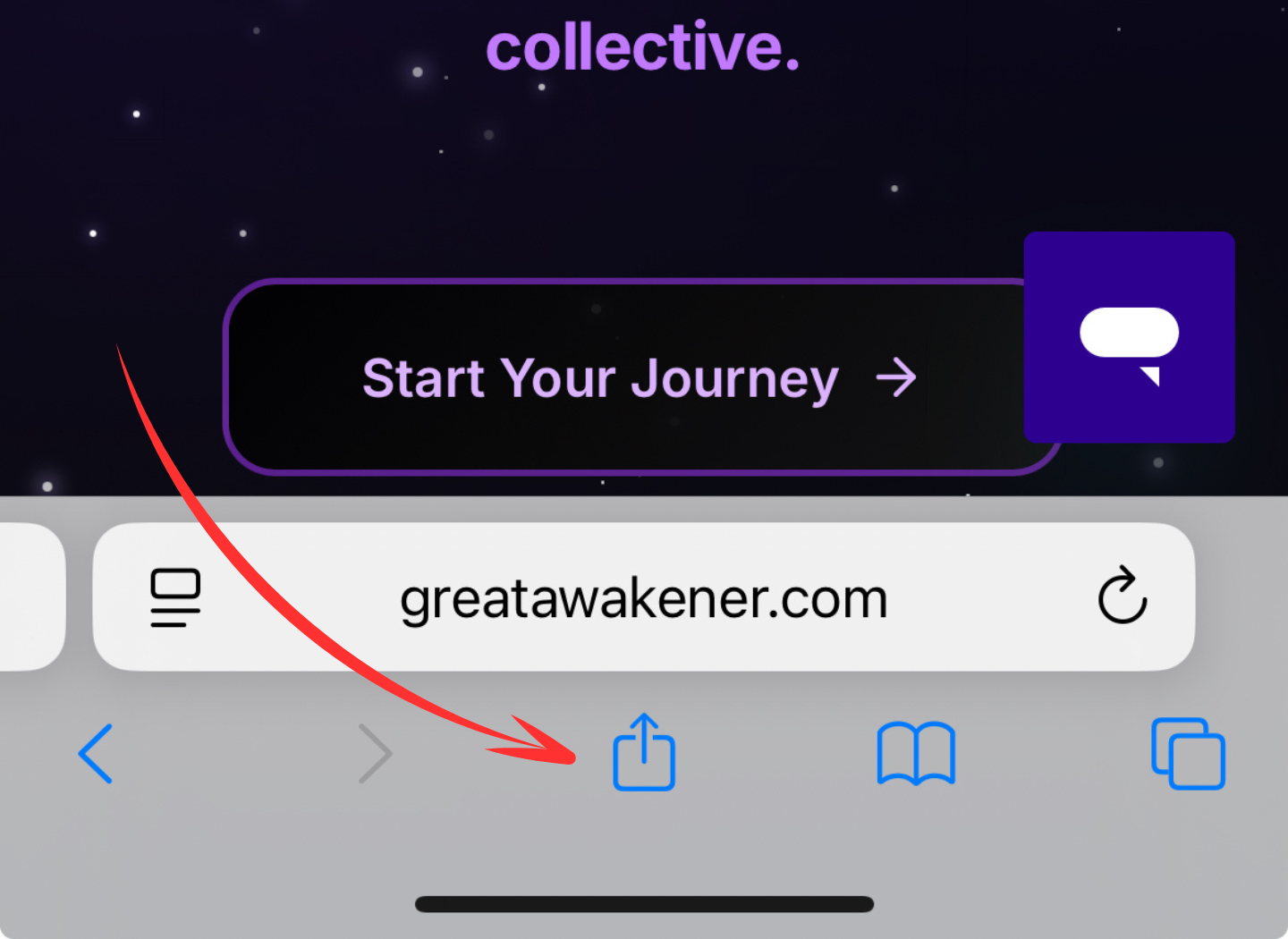
Tap the Share button in Safari.
- 2
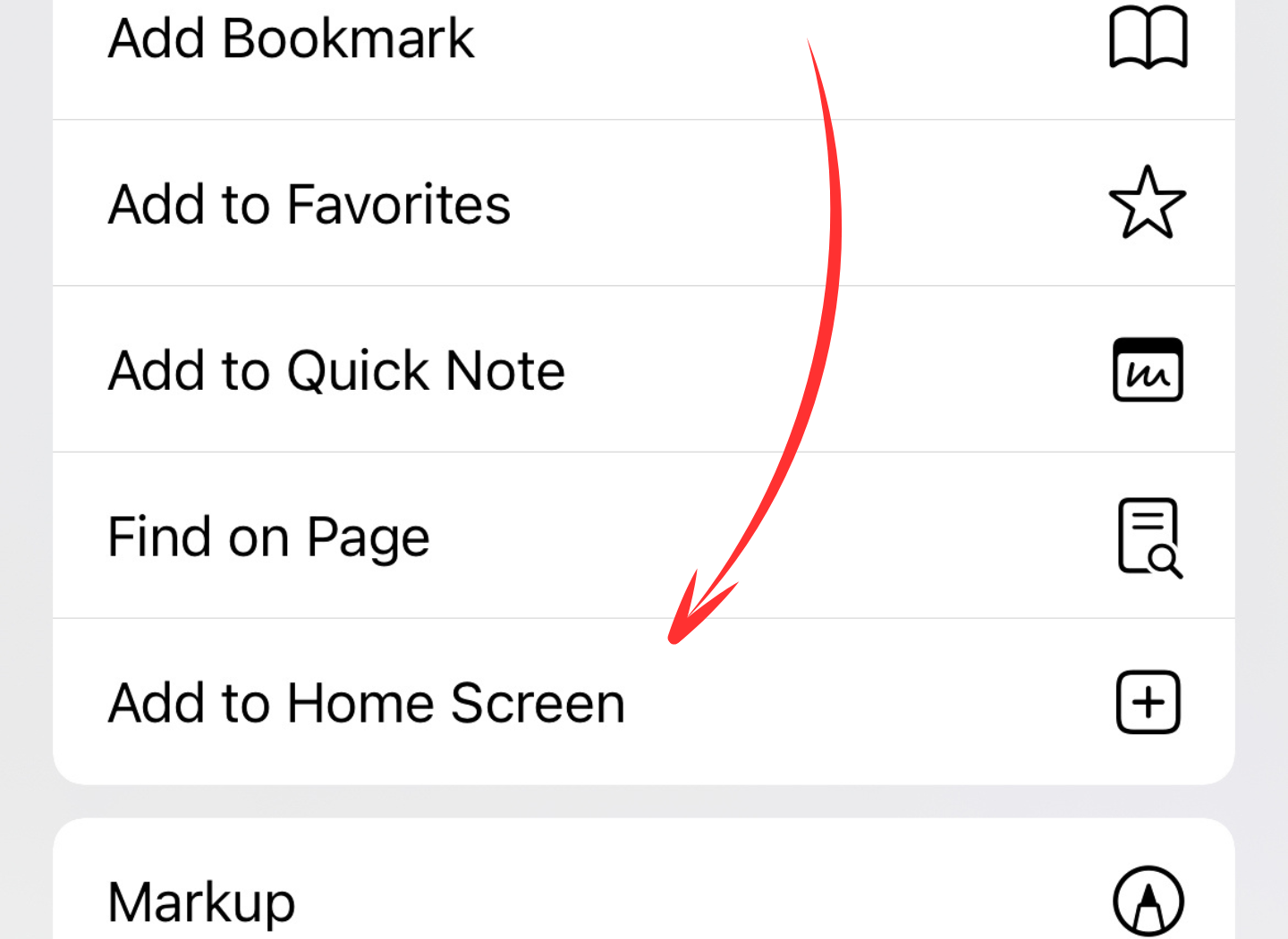
Scroll down and select "Add to Home Screen".
- 3
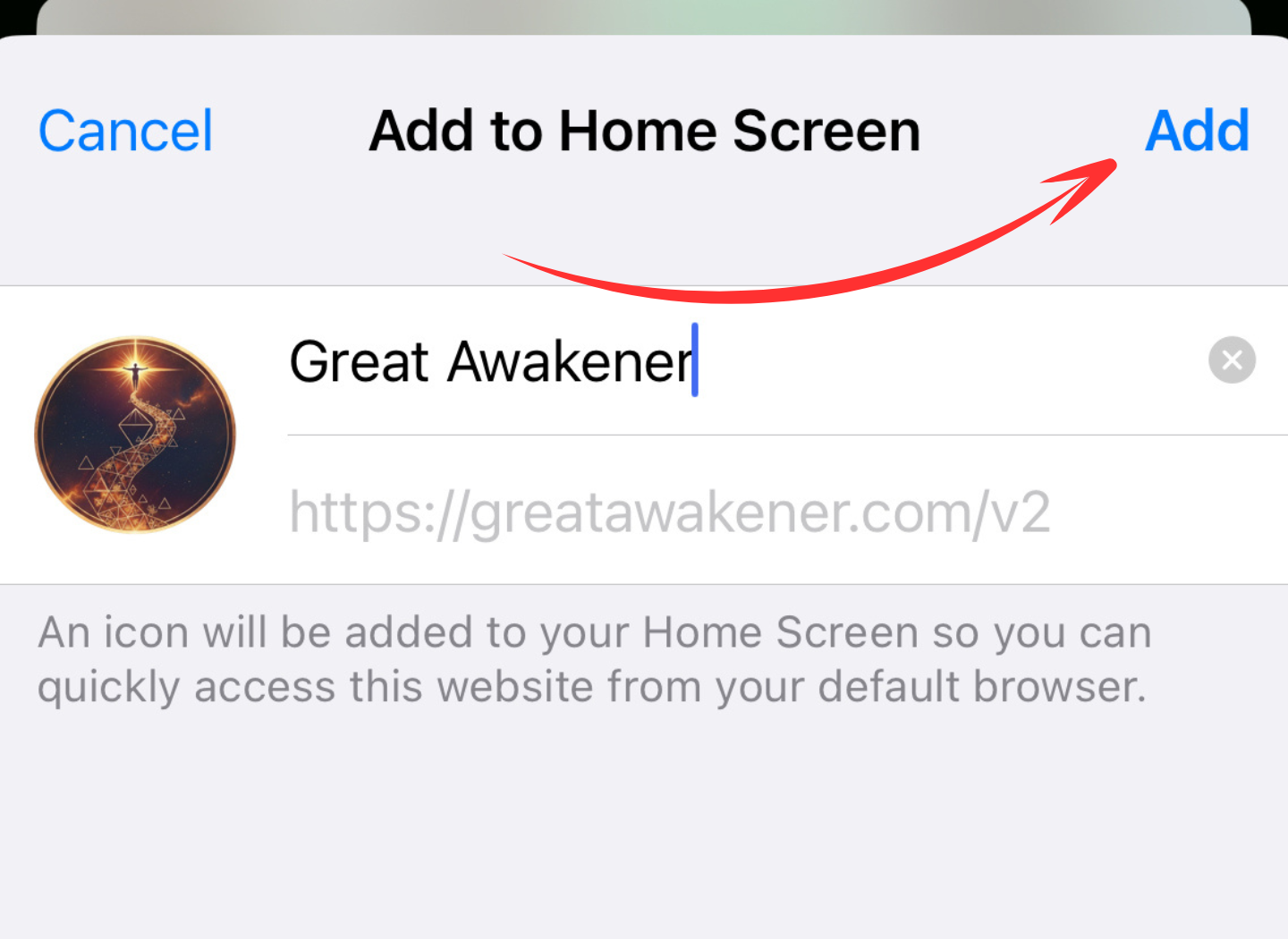
Tap "Add", then launch Great Awakener directly from your home screen.
Using a desktop or laptop? Look for the Install icon in the address bar. For the best experience, we recommend installing Great Awakener from your phone.